
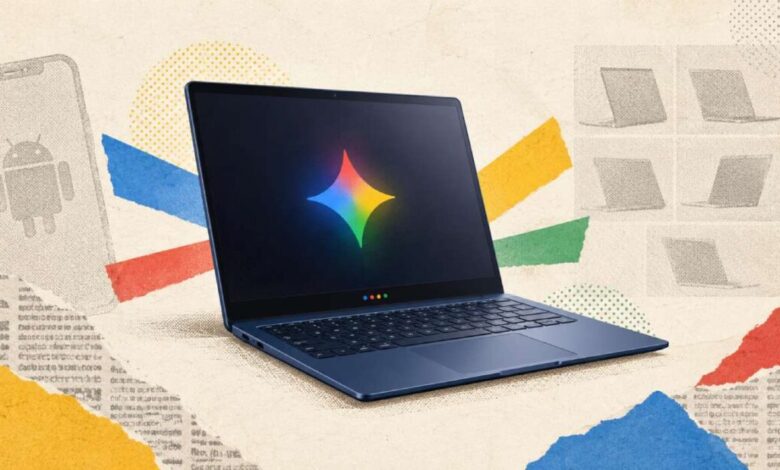
Google is set to launch its Googlebook laptops with a starting price of $899 on October 4. The company is moving to expand its success in phones, after struggling to parlay that into an effective strategy for larger screens. Chromebooks have been fine as a budget option, but it seems like Google has accepted it will never compete with macOS or Windows. That’s where Googlebooks come in.
These new Android-powered laptops are intended to be “real” computers, featuring premium hardware, on-device apps, and powerful development tools. After the Googlebook reveal at I/O this year, Google’s partners are now ready to sell you one. The first Googlebooks are available from several OEMs that have been making Chromebooks over the years, but don’t expect Chromebook pricing. There’s only one model under a grand, and the rest are well above that.
The bulk of Chromebooks have been budget machines, and they looked the part. Googlebooks, however, feature bright OLED screens, metal builds, big haptic trackpads, and the Glowbar. All the machines have this illuminated bar on the lid, but it doesn’t do much for now. It lights up when the device boots and can display battery level, but Google says it’s going to release an API for developers to add more features.
Across the full lineup, Google says you can expect 16GB of RAM with 32GB upgrades for some models. At launch, the machines will run either a Snapdragon X Elite or an Intel Core Ultra Series 3 (Panther Lake) chip. Both platforms have an NPU capable of 45 TOPS of on-device AI performance, and all the designs are fanless. Regardless of the exact model, Google says you can expect up to 14 hours of video playback and 16 hours of web browsing.
The Acer model is the cheapest, and it’s also the only convertible in the lineup. The price jump from that device to the next cheapest (the Dell XPS) is a substantial $300, and the rest of the launch laptops are $100 more than that. Google’s partners launched a few Chromebooks in this price range, but they didn’t see wide adoption. A major part of Chrome’s failure to truly compete with macOS and Windows is down to software availability.
Google tried multiple ways to shoehorn local apps into its web-first platform, but it never took. The advantage of starting from scratch, according to Google, is that these new laptops share the same software stack as Android phones. That means you can run Android apps natively without all the VM weirdness of ChromeOS, and there are a ton of those. Google is aware of the sordid history of running phone apps on desktop PCs.
It’s often a clunky experience using a phone app designed for touch on a large screen with a keyboard and mouse, but the company claims you may be surprised how many apps in the Play Store are now optimized for laptops. The Play Store client will call out apps and games that have been optimized for bigger displays, and Google says more apps are being updated for laptops all the time. There will also be a “desktop-class” version of the Chrome browser preinstalled on Googlebooks. Even if optimised, these are still going to be apps designed for, and primarily used on, smartphones.
It’s unclear if they’ll offer the kind of power people expect for a $1,300 laptop. On the gaming side, Google notes that its Level Up program is delivering more experiences suitable for a keyboard and mouse, but the selection of desktop-ready games won’t be anything like what you get on Windows or macOS. There is, of course, nothing stopping you from using phone apps on a Googlebook if you want. They’ll run in a window, and you may not even need to install them.
With Cast My Apps, the apps installed on your Android phone are available instantly on a Googlebook. They appear in a dedicated app list on the laptop, allowing you to open and use them without touching the phone. The file manager can also seamlessly access files on your Android phone. Similarly, a feature called Continue On lets you pick up where you were in a phone app on the Googlebook version of the app.
This requires developer support, so not all apps will carry over. Still, this level of integration with Android is not something you get on either Windows or macOS, which could make a Googlebook appealing if you’ve got a Pixel or Galaxy riding around in your pocket. As you expected, the Play Store is the primary source of apps for Googlebooks, and there will be some limits on sideloading. Google has confirmed to Ars that Googlebooks will enforce developer verification requirements for apps similar to Android phones.
Under this system, only apps from developers who have verified their identities with Google will be eligible for installation from a downloaded APK file. This requirement will roll out broadly next year, but it’s being activated in a few markets in the coming weeks.